If you're renting for a crew of 10, G-Portal's Palworld plans are the cheapest slot-based option at $15.59 per 30 days. If you want a full 32-player server, Indifferent Broccoli wins at $24.99 a month. Hostinger shows the lowest number of the three, but it sells something different, you pay for 24 months up front to get it, and its price climbs after that first term.
The cheapest host for 10 players and for 32
Here's how the three line up, with prices as they stood in early October 2026. G-Portal's figures are in USD for its Central Europe location.
| G-Portal | Indifferent Broccoli | Hostinger | |
|---|---|---|---|
| How it's sold | Per slot, 8 to 32 slots | Per player tier | By VPS size (vCPU and RAM) |
| 10 players | $15.59 per 30 days, or $42.09 per 90 days | $18.99/month | Not sold by slot |
| 32 players | $31.86 per 30 days | $24.99/month | Game Panel 4: $13.99/month on a 24-month term ($335.76 up front), renews at $28.99/month |
| Billing terms | 3, 30 or 90 days | Monthly, quarterly (3% off), semi-annual (6% off), annual (1 month free) | 24 months paid up front at the promo price, then a higher renewal price |
The order flips between the two group sizes, so a "from" price doesn't tell you much.
What Palworld server hosting really costs per month
Start with 10 players. G-Portal charges $15.59 per 30 days. Its 90-day term is $42.09, which works out to about $14.03 per 30 days ($42.09 divided by 3). Indifferent Broccoli's 10-player tier is $18.99 a month, so you're paying roughly $3.40 more there, or close to $5 more against G-Portal's 90-day rate.
One small catch: G-Portal bills per 30 days, not per calendar month. Twelve of those periods cover 360 days, so a full year costs a touch more than twelve payments. It doesn't change who wins at 10 players.
At 32 players, Indifferent Broccoli's 32-player tier is $24.99 a month against G-Portal's $31.86 per 30 days. That's nearly $7 saved every billing period.
Then there's Hostinger. Its Palworld plans start with Game Panel 2 at $9.49 a month, renewing at $14.99. Game Panel 4 is $13.99 a month, renewing at $28.99. That's a $15 jump per month once the promo price ends, and it puts Game Panel 4 $4 above Indifferent Broccoli's 32-player plan. Both promo prices are for a 24-month term paid up front: $227.76 for Game Panel 2 and $335.76 for Game Panel 4.
So Hostinger's low price is real, but it's temporary. It's also the price of a machine, not of a player count.
Slots versus VPS size
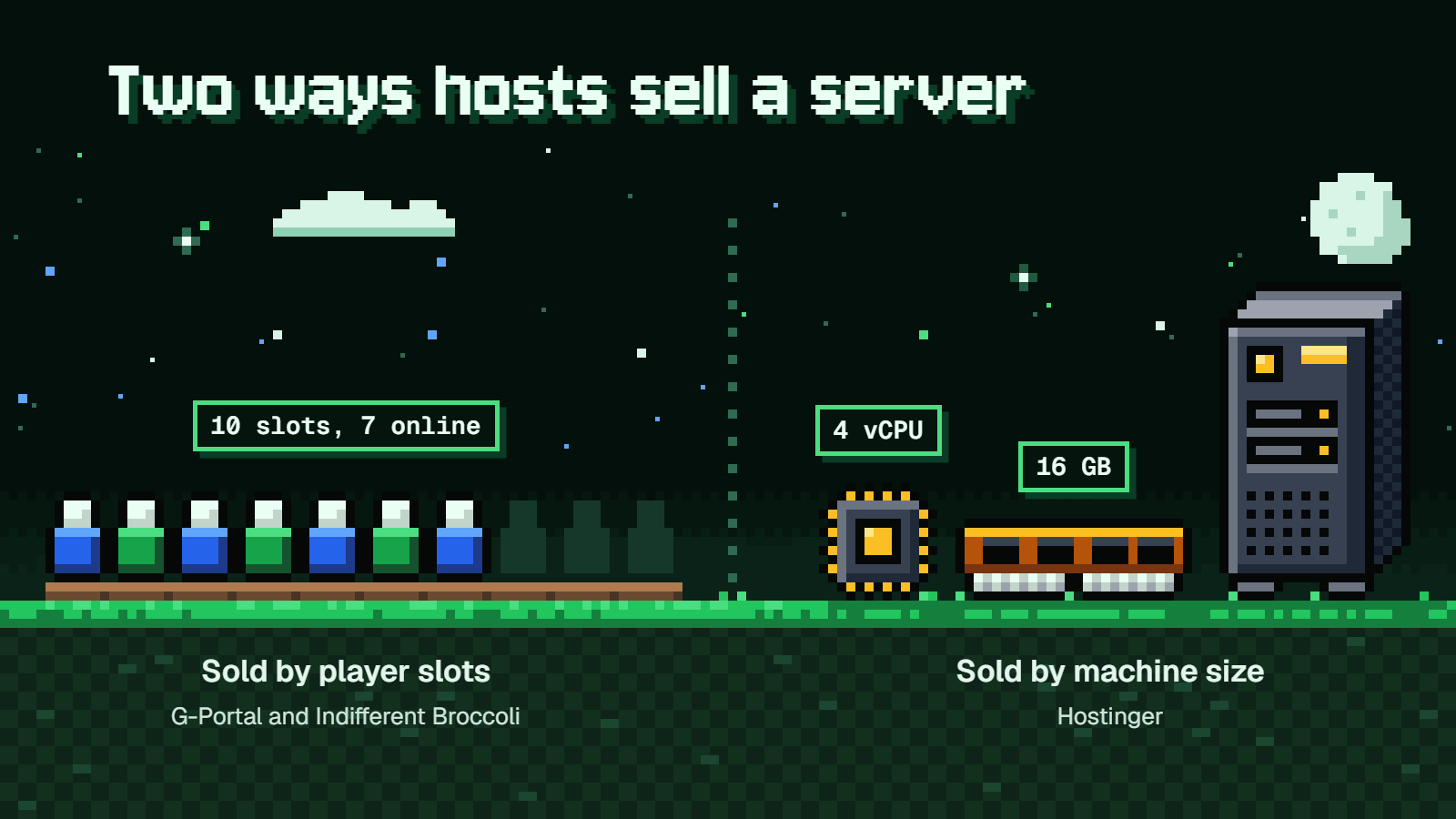
Say your group is 10 people, and on a normal night seven of them are online.
At G-Portal or Indifferent Broccoli, you buy seats. You pick 10 slots or the 10-player tier, and the server has room for 10. If the group grows to 14, you move up. G-Portal lets you choose any size from 8 to 32 slots. Indifferent Broccoli's next tier is 16 players at $20.99, and there are smaller tiers too: 1 player at $5.99, 2 at $6.99, 4 at $9.99, 6 at $12.99 and 8 at $15.99.
At Hostinger, you rent a virtual machine with a set amount of CPU and memory. Nobody is counting seats on the price page. How your seven or ten friends fare on it comes down to the hardware, mostly the RAM. That's why you can't read its price next to the other two without knowing what Palworld asks for.
How much server Palworld needs
Pocketpair's official server requirements call for:
- A CPU with 4 or more cores
- 16 GB of RAM minimum, with more than 32 GB recommended
- A fast SSD
- 64-bit Windows or Linux
They also say a server with 8 GB can boot, but it's more likely to crash.
Now put Hostinger's two plans next to that. Game Panel 2 has 2 vCPU, 8 GB of RAM and 100 GB of NVMe storage. That's half the minimum memory and half the cores, so the $9.49 plan is the one to skip for Palworld, even for a small group.
Game Panel 4 has 4 vCPU, 16 GB of RAM and 200 GB of NVMe. It meets the minimum on both counts. It's still well short of the recommended amount, so think of it as the floor.
Can Xbox and PS5 players join?
What decides this is a setting in the game's server config. In Palworld version 1.0.4, CrossplayPlatforms lists which platforms are allowed to connect, and the default lets everyone in:
CrossplayPlatforms=(Steam,Xbox,PS5,Mac)
So out of the box, a dedicated server is set up for your Xbox and PS5 friends to play alongside the Steam crowd, on one condition from Pocketpair's guide: console players can only join a server that's deployed as a community server, the kind that shows up in the in-game server list. Hostinger's own page says its dedicated servers are only available for the Steam version, so with console friends in the group, pick one of the other two. If you've seen older guides mention AllowConnectPlatform, ignore them. That setting is no longer available, and CrossplayPlatforms replaced it.
If you'd rather run a PC-only server, G-Portal's crossplay setup guide gives these steps:
- Open your server settings and find
CrossplayPlatforms. - Change the line to this:
CrossplayPlatforms=(Steam)
- Save the settings.
- Restart the server.
There's one admin quirk to know before you open the doors to consoles. You can't manage console players by Steam ID, because they don't have one. To kick or ban someone on Xbox or PS5, use the in-game player list or that player's UID.
Mods and backups
The risk with mods is game updates. A mod that ran fine yesterday can misbehave after a patch, and on a live server that means your group's world is on the line.
G-Portal's advice is good practice at any host:
- Back up the world before you update a live server.
- Re-test your mods after every game update.
- If problems show up, remove the mods.
For backups, the game has its own switch. In version 1.0.4, bIsUseBackupSaveData turns on world backups. It's worth having on, but it does increase disk load, since the server is writing extra copies of your save. That's one more reason the fast SSD in the requirements matters.
If you run a 32-player community server with mods, plan a routine for patch day: back up, update, test with the mods, and only then tell everyone it's safe to log in.
Billing terms and cancelling
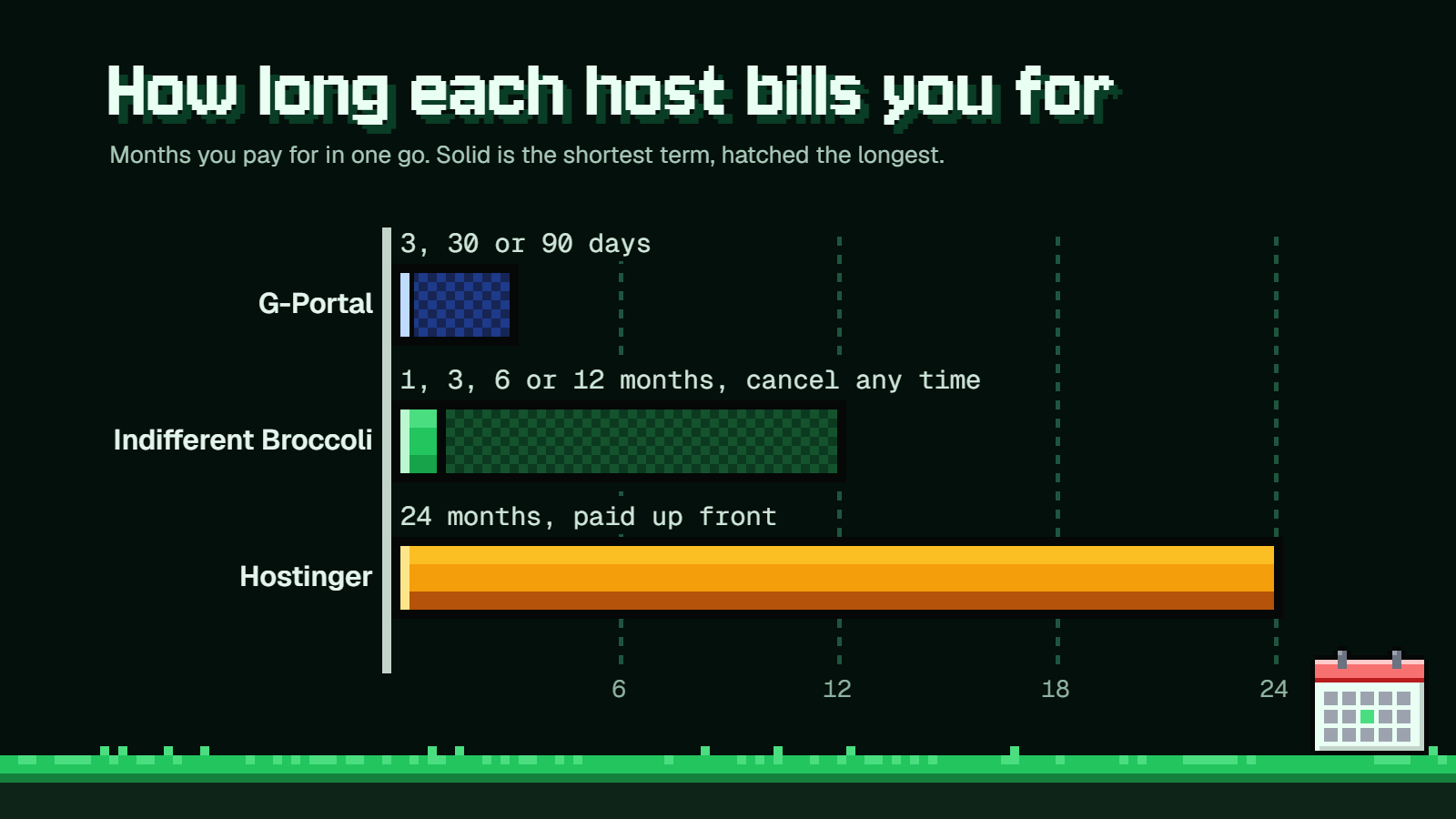
Indifferent Broccoli has the most flexible terms. You can pay monthly, quarterly for 3% off, semi-annually for 6% off, or annually with one month free. You can also cancel any time, which is handy if your group tends to play hard for six weeks and then vanish.
Those discounts are nice at 32 players, where it's already the cheapest. At 10 players they don't close the gap. Even with a free month on the annual plan, $18.99 a month doesn't come down to G-Portal's $15.59.
G-Portal keeps it simple with fixed terms of 3, 30 or 90 days. On 10 slots, going for 90 days saves you about $1.56 per 30 days.
Hostinger works on a promo price followed by a renewal price. The promo price is billed as 24 months up front, and after that the renewal figure is the one to budget around: $14.99 a month for Game Panel 2 and $28.99 for Game Panel 4.
Which one to pick
For a regular crew of 10, go with G-Portal. It's the cheapest way to buy 10 seats, and the 90-day term is the better deal if you know the group will stick around.
For a full 32-player server, go with Indifferent Broccoli. It's $24.99 a month, cheaper than G-Portal by a clear margin, cheaper than Hostinger's Game Panel 4 once that renews, and you can leave whenever you want.
Hostinger suits a narrower kind of buyer. If you like the idea of renting a machine instead of a seat count, Game Panel 4 at $13.99 is the lowest monthly figure of the three while the promo lasts. Just go in knowing three things: you pay $335.76 up front for 24 months, you're on the game's minimum RAM, and the price roughly doubles at renewal. Game Panel 2 doesn't have enough memory for Palworld, so leave it alone.
FAQ
How much RAM does a Palworld dedicated server need?
The official requirements say 16 GB minimum and more than 32 GB recommended. A server with 8 GB can boot, but it's more likely to crash.
Which setting controls crossplay on a Palworld server?
In version 1.0.4 it's CrossplayPlatforms. The default is (Steam,Xbox,PS5,Mac), which allows all four platforms. The older AllowConnectPlatform setting is gone.
How do I make my server PC-only?
Set CrossplayPlatforms=(Steam), save, and restart the server. After that, only Steam players can connect.
What port does a Palworld server use?
The default is UDP 8211.
Will mods break after a game update?
They can. Back up your world before updating, re-test your mods after every patch, and remove them if the server starts acting up.